In X3 we do many customizations and for each customization we assign a unique activity code. The problem arrives when we write the code for different customization in single processing file and we have to deactivate one of the customization.
In that case we need to look for a hook which will restrict the processing of the code related to a particular specific customization.
To overcome the above problem X3 provides the feature of Global variable to deactivate the Activity Code. To achieve this we need to do the following changes.
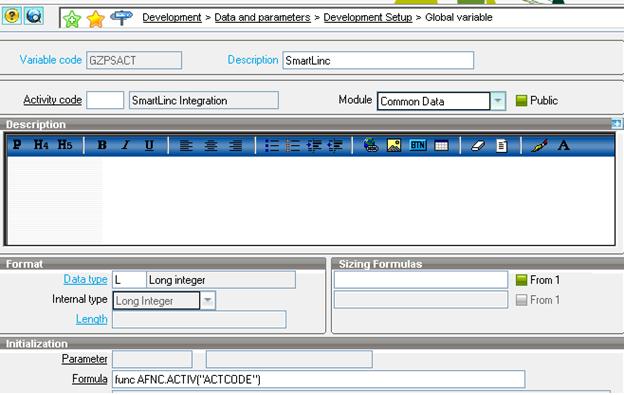
Navigate through Development->Data and Parameters->Development setup->Global variable
Create a new global variable that you want to use for the activity Code (refer below screen shot) and enter the formula for the activity code as:
func AFNC.ACTIV(“ACTCODE”) (where ACTCODE is the Activity code that you are referring.)
Now within the coding part we can check if this Global variable is true the code should process else not.
Hope this clarifies.