The X3 system can create work order suggestions for any anticipated inventory shortages for your finished products. X3 will even allow you to group two work order suggestions if they are for the same product number. However, we have customized the Enterprise Planning to group two work orders suggestions even when the product numbers are different.
New Stuff: Creating a directory Programmatically in X3
We can take a scenario when the product number is package specific. For example, the client may run a job which produces a liquid. This liquid may then be stored in 10 different types of packages. Each of these packages would be a different product number, but all of these products share the same formula. Here we would like to group together and create a single WorkOrder.
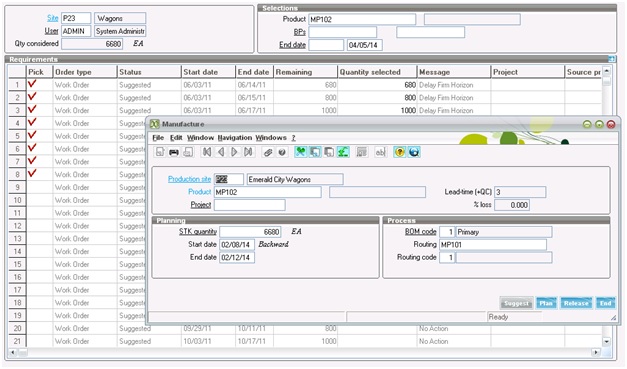
The screen is customized such that Enterprise planning screen filters out the work orders and we can select the product for which we want to create a work order. We can select the work orders and clicking generates will pop-up a screen through which we can generate a work order.
Hope this Helps.
Also Read:
1) WO reactivation and Product tracking deletion in sage X3
2) Automatic Deletion of Work Order in X3
3) Including ‘Non Managed’ Products in Work Orders
4) Maximum size for a Pool in X3
5) Setup Price Code Priority